How to Digitize Your Calligraphy for Logos or Prints invites you into a fascinating exploration of the intersection between traditional artistry and modern technology. This guide not only illuminates the intricate characteristics of various calligraphy styles but also highlights the essential tools and materials that bring these artistic expressions to life. As calligraphy continues to play a significant role in design and branding, understanding the processes involved in digitization becomes crucial for artists and designers alike.
From preparation techniques to scanning and photographing, this guide will take you step-by-step through the essential methods needed for successfully digitizing your calligraphy. Furthermore, it will delve into the world of editing and vectorization, allowing your art to shine in various applications, whether in logos or printed materials.
Understanding Calligraphy
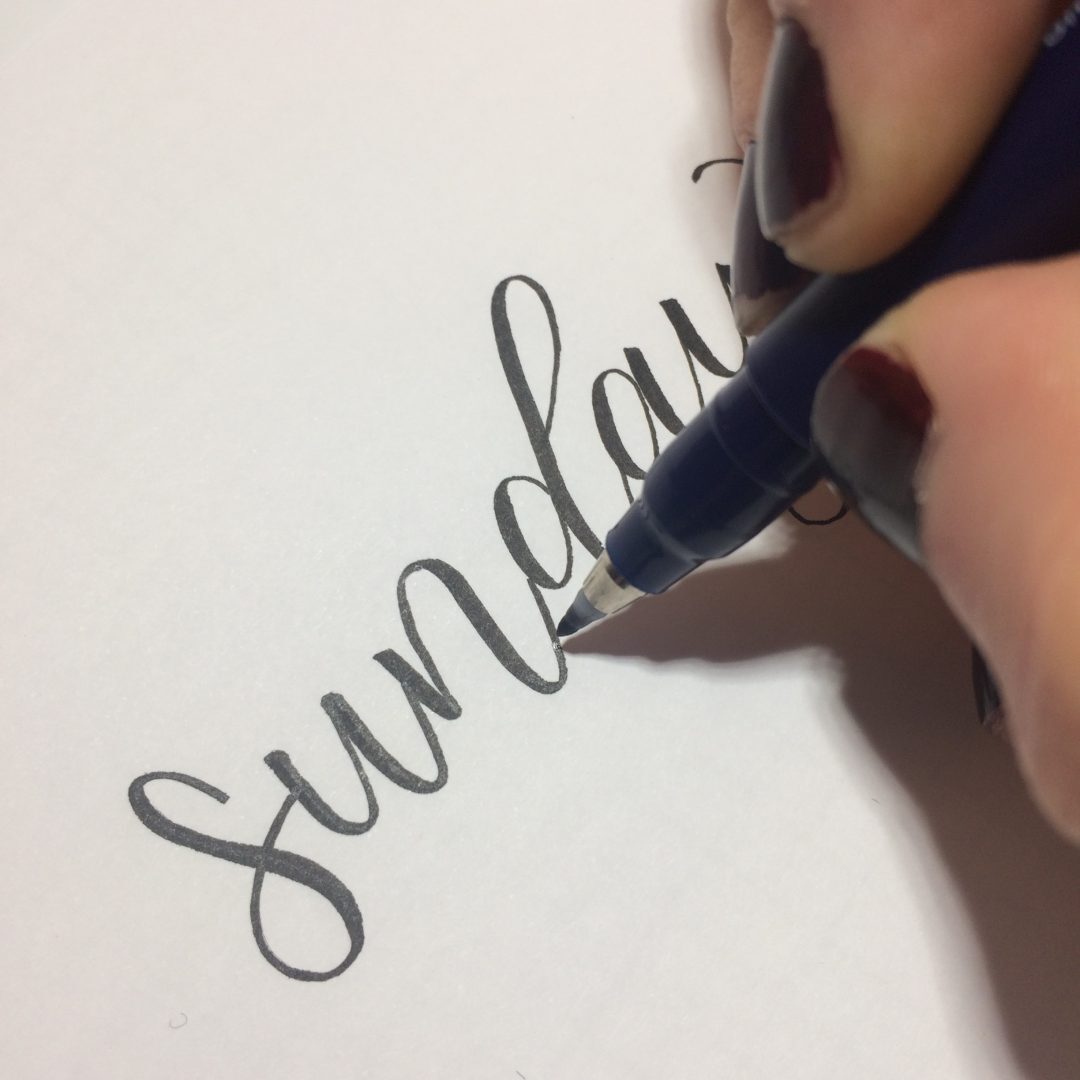
Calligraphy is not merely a writing technique; it is an art form that breathes life into letters and transforms them into visually compelling designs. The meticulous attention to detail and the fluidity of strokes characterize this unique style of writing. Understanding the diverse styles of calligraphy and the tools employed can greatly enhance the process of digitizing calligraphy for logos or prints.Different calligraphy styles offer distinct visual appeals.
The most prominent include:
Characteristics of Different Calligraphy Styles
Each style of calligraphy possesses unique characteristics that set it apart. Some notable styles include:
- Italic Calligraphy: Known for its slanted letters and elegant, flowing lines. It exudes a sense of sophistication and is often used in formal invitations and documents.
- Gothic Calligraphy: Featuring bold, angular letters with intricate flourishes, Gothic calligraphy provides a dramatic and historical aesthetic, commonly seen in medieval manuscripts.
- Brush Script: This style mimics the strokes of a brush, offering a casual yet artistic appearance. It is popular in modern designs due to its versatility.
- Modern Calligraphy: A contemporary take on traditional styles, modern calligraphy blends various techniques and emphasizes creativity, individuality, and personalization.
Understanding these styles aids in selecting the most appropriate one for your design project, as each style conveys a different emotion and message.
Tools and Materials Used in Traditional Calligraphy
The elegance of calligraphy is greatly influenced by the tools and materials used. Traditional calligraphy typically involves:
- Pens: Calligraphers often use dip pens or fountain pens with specialized nibs that allow for varied line thickness. The choice of nib can significantly affect the final appearance of the lettering.
- Inks: High-quality inks, such as India ink or acrylic-based inks, are essential for achieving vibrant colors and smooth flow on paper.
- Papers: The texture and weight of the paper can alter the ink’s interaction. Smooth papers are preferred for detailed work, while textured papers can create interesting visual effects.
- Guidelines: To ensure consistent lettering, many calligraphers use templates or guides to maintain uniformity in size and style.
The combination of these tools and materials allows calligraphers to express their artistry and produce stunning written pieces.
Significance of Calligraphy in Design and Branding
The role of calligraphy in design and branding extends beyond aesthetics; it serves as a powerful communication tool. Incorporating calligraphy into branding materials can convey specific messages and values.
- Brand Identity: Calligraphy can help establish a brand’s identity by conveying its personality—be it elegance, creativity, or tradition. For example, a luxury brand may use a sophisticated italic style to evoke a sense of exclusivity.
- Emotional Connection: Custom calligraphy fosters an emotional bond with the audience. Unique letterforms can resonate with customers, making products more memorable.
- Versatility: Calligraphy can be adapted to various design contexts, from logos to packaging, enhancing visual appeal and coherence across branding platforms.
The effective use of calligraphy in branding not only enhances visual communication but also solidifies the emotional connection between the brand and its audience, making it an invaluable asset in the competitive landscape of design.
Preparing Calligraphy for Digitization
To effectively digitize calligraphy, proper preparation is crucial. This involves creating an environment that ensures clarity and enhances the quality of the captured images. The following steps Artikel the necessary actions to achieve optimal results when scanning or photographing handwritten calligraphy pieces.
Layout for Scanning or Photographing
Arranging your calligraphy properly before digitization is essential for clear and precise imagery. The following steps will assist in establishing an effective layout:
1. Flat Surface
Choose a clean, flat surface to place your calligraphy piece. This minimizes distortion and ensures that the entire piece is captured evenly.
2. Alignment
Position your calligraphy in a straight line and ensure it is centered within the frame, allowing for balanced cropping during the digitization process.
3. Background
Utilize a neutral-colored background that contrasts well with your ink colors. This helps the calligraphic details to stand out without distractions.
4. Avoid Clutter
Ensure that the surrounding area is free from any clutter that may detract from the focus of the calligraphy piece.
Best Lighting Conditions
Lighting plays a vital role in capturing the intricate details of calligraphy. Optimal lighting conditions enhance the quality of the captured images. Consider the following factors:
Natural Light
Utilize natural sunlight whenever possible. Position your calligraphy near a window with diffused light to avoid harsh shadows and reflections.
Avoid Direct Sunlight
Direct sunlight can cause glare, distorting the appearance of the ink and paper texture. It is advisable to photograph during overcast days or during morning or late afternoon hours when the sunlight is softer.
Artificial Light
If using artificial light sources, opt for softbox lights or LED lights that mimic daylight. Position them at a 45-degree angle to minimize shadows and illuminate the calligraphy evenly.
Cleaning Up the Calligraphy Surface
Before digitization, ensuring the calligraphy surface is clean and free from distractions is imperative. Follow these tips to prepare your piece effectively:
Gentle Dusting
Use a soft, lint-free cloth or a gentle brush to remove any dust or debris from the surface of the paper. Care should be taken not to smudge the ink.
Correction of Imperfections
If there are minor blemishes or ink smudges, consider lightly erasing them with a clean, dry eraser, being cautious not to damage the calligraphy.
Flatness
Ensure your calligraphy is flat and free from creases. If necessary, place it beneath a heavy book for a short period to flatten any curls or bends before digitization.
Scanning Techniques
To effectively digitize calligraphy and preserve its intricate details, employing the correct scanning techniques is paramount. A high-quality scan not only captures the artistry of the original work but also ensures the digital version remains suitable for various applications, from logo design to print materials.Optimal scanning techniques hinge on several factors, including the type of scanner used, the settings adjusted, and the file format selected for saving the image.
The following subsections provide guidance on these essential aspects of the scanning process.
Optimal Settings for Scanning
When scanning calligraphy, it is vital to configure your scanner settings to achieve the best possible results. The following points Artikel the recommended settings for optimal image quality:
1. Resolution
A resolution of 300 DPI (dots per inch) or higher is recommended for scanning calligraphy. This ensures that the fine details and subtleties of the script are captured accurately. For prints intended for large formats, a resolution of 600 DPI may be preferable.
2. Color Mode
Use the ‘Color’ or ‘Grayscale’ mode depending on the nature of your calligraphy. If the original work is in color, select ‘Color’ to retain hues; if it is monochromatic, ‘Grayscale’ will suffice and can reduce file size.
3. File Format
Save images in a lossless format such as TIFF for archiving purposes, as it preserves quality. For sharing or web use, JPEG can be acceptable, but ensure to maintain a high-quality setting to avoid compression artifacts.
Recommended Scanner Types
The choice of scanner can significantly impact the quality of the scanned calligraphy. Below are recommended types of scanners suitable for digitizing artwork:
Flatbed Scanners
These are ideal for scanning large sheets of calligraphy, as they provide a uniform, high-resolution scan without risking damage to the artwork. Brands like Epson and Canon offer excellent models for this purpose.
Drum Scanners
For the highest quality digitization, drum scanners are unmatched. They utilize a rotating drum to achieve superior image quality, making them suitable for professional archival work.
Portable Scanners
While not always providing the same quality as flatbed or drum scanners, portable scanners can be convenient for capturing calligraphy on the go. Models from Fujitsu and Doxie are known for their ease of use.
Importance of Resolution and File Format
Understanding the significance of resolution and file format in scanned images is crucial for achieving professional results. The resolution directly influences the clarity and detail of the digitized calligraphy, impacting its usability across various formats.
Resolution
Higher resolutions benefit projects that require enlargements or detailed scrutiny, allowing for crisp images that retain their integrity across different mediums. Conversely, lower resolutions may suffice for digital use but could lack the necessary quality for print.
File Format
The choice of file format can dictate how well the image retains its quality after editing or compression. A TIFF format is preferred for its non-lossy nature, while JPEGs can be used for ease of sharing, keeping in mind the potential loss of detail due to compression.
“Utilizing the right scanner settings, combined with an appropriate device and file format, ensures that your calligraphy remains vivid and true to its original form in the digital realm.”
Photographing Calligraphy
Photographing calligraphy is a crucial step in the digitization process, allowing you to capture the intricate details and unique flourishes of your work. By employing the right techniques, you can ensure that the beauty of your calligraphy is preserved in a digital format, making it suitable for logos or prints.When photographing calligraphy, several key factors come into play that influence the quality of the captured images.
Proper camera settings, lighting conditions, and stabilization techniques are essential for obtaining clear, vibrant photographs. Attention to these details can significantly enhance the overall outcome of your digitization endeavors.
Camera Settings for Enhanced Image Quality
Selecting the appropriate camera settings is vital for achieving high-quality photographs of calligraphy. The following parameters should be adjusted to optimize your images:
- Resolution: Set your camera to the highest resolution available. Higher resolutions allow for greater detail and clarity in the final images, making them suitable for various applications, including large prints.
- Aperture: Use a wide aperture (low f-number) to create a shallow depth of field, which helps blur the background and emphasizes the calligraphy. This can make your work stand out more prominently in the photograph.
- ISO Settings: Keep the ISO as low as possible to reduce noise, especially in well-lit environments. A lower ISO (e.g., 100-200) produces clearer images with finer details.
- White Balance: Adjust the white balance according to your lighting conditions. Proper white balance ensures that colors are rendered accurately, preserving the true appearance of the inks and papers used.
Stabilizing the Camera for Clear Images
Camera stability is paramount in preventing blurriness in photographs. To achieve steady shots, consider the following methods:
- Tripod Use: A sturdy tripod is the most effective way to stabilize your camera. It allows for hands-free shooting and minimizes motion blur caused by handheld photography.
- Remote Shutter Release: Utilize a remote shutter release or the camera’s timer function to avoid physical contact with the camera when taking a photograph. This technique helps eliminate any shake that might occur when pressing the shutter button.
- Stable Surface: If a tripod is not available, place the camera on a stable surface, such as a table or countertop, to reduce movement. This is particularly useful for close-up shots of the calligraphy.
- Body Positioning: When shooting handheld, stabilize your body by bracing your elbows against your torso. This posture provides additional support and minimizes camera shake.
“Attention to detail in photography can transform ordinary calligraphy into extraordinary digital art.”
Editing Digitized Calligraphy
Editing is a crucial step in the process of digitizing calligraphy, as it enhances the visual appeal and accuracy of the work. This stage allows you to refine your digitized calligraphy, ensuring that it meets professional standards for logos or prints. Utilizing the right software can significantly improve the quality of your images, while simple adjustments can resolve common issues encountered during digitization.
Software Options for Editing Scanned Calligraphy
Several software programs are well-suited for editing digitized calligraphy. Choosing the right one can make a significant difference in your editing process. Here are some popular options:
- Adobe Photoshop: A versatile and widely-used graphic editing software that provides extensive tools for color correction, contrast adjustment, and retouching.
- GIMP: A free and open-source alternative to Photoshop that offers similar functionalities for image editing and manipulation.
- CorelDRAW: Particularly useful for vector graphics, it allows for detailed editing of calligraphy, making it suitable for logo design.
- Affinity Designer: A cost-effective option that combines raster and vector design capabilities, making it ideal for both prints and digital applications.
Adjusting Contrast and Color Balance in Images
Properly adjusting contrast and color balance can elevate the quality of your digitized calligraphy. Here is a step-by-step guide to achieving optimal results.
1. Open Your Image
Launch your chosen software and open the digitized calligraphy file.
2. Locate the Adjustment Tools
Navigate to the ‘Image’ or ‘Adjustments’ menu, depending on the software.
3. Adjust Contrast
Increase the contrast to enhance the difference between the lightest and darkest parts of the image. This can be done using the ‘Brightness/Contrast’ option. Use the slider to find a balance that makes your calligraphy pop while maintaining legibility.
4. Color Balance Adjustment
Access the ‘Color Balance’ tool, which allows you to modify the red, green, and blue channels.
Make subtle adjustments to achieve your desired color tone, ensuring that the ink appears vibrant and true to the original.
5. Preview Changes
Regularly check the preview of your adjustments to see how they affect the overall look.
6. Save Your Work
Once satisfied with the adjustments, save the image in a suitable format for your intended use.
Techniques for Removing Imperfections or Backgrounds
Removing imperfections or backgrounds from your digitized calligraphy can enhance its presentation. Here are effective techniques to achieve cleaner results:
Using the Eraser Tool
Select the Eraser tool to remove any unwanted marks or imperfections manually. Adjust the brush size for precision. Careful erasing will help maintain the integrity of the calligraphy strokes.
Masking Techniques
Instead of erasing, use layer masks to isolate your calligraphy. This non-destructive method allows for easy adjustments and corrections later. Apply a mask to the layer containing the calligraphy and paint over the areas you wish to hide.
Background Removal
For removing backgrounds, use the Magic Wand or Quick Selection tools to highlight the background area.
Once selected, delete or mask the background to leave only the calligraphy, providing a clean and professional look.
Clone Stamp Tool
Utilize the Clone Stamp tool to cover up imperfections. Sample from adjacent areas of the calligraphy and paint over the flaws seamlessly.
This technique is particularly useful for repairing small holes or blemishes in the strokes.
With these editing techniques and tools, your digitized calligraphy can be transformed into polished and professional artwork ready for logos or prints.
Converting to Vector Format
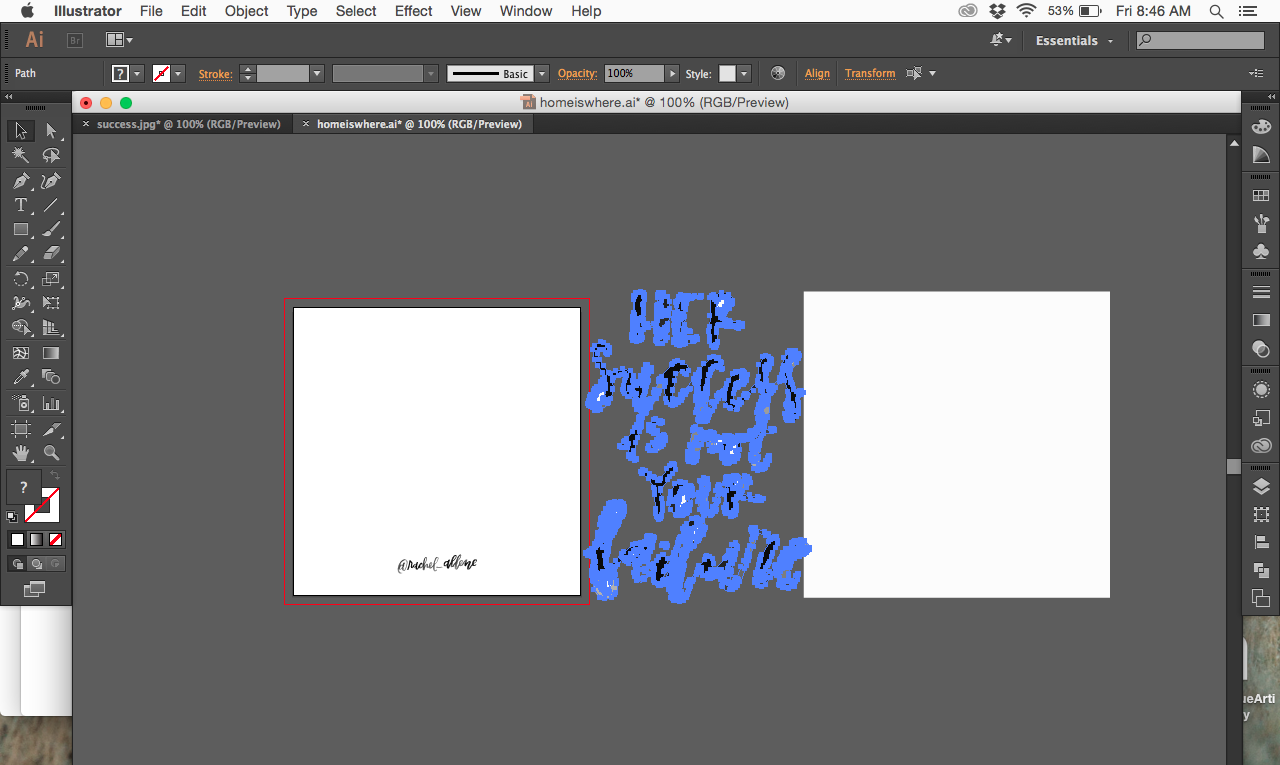
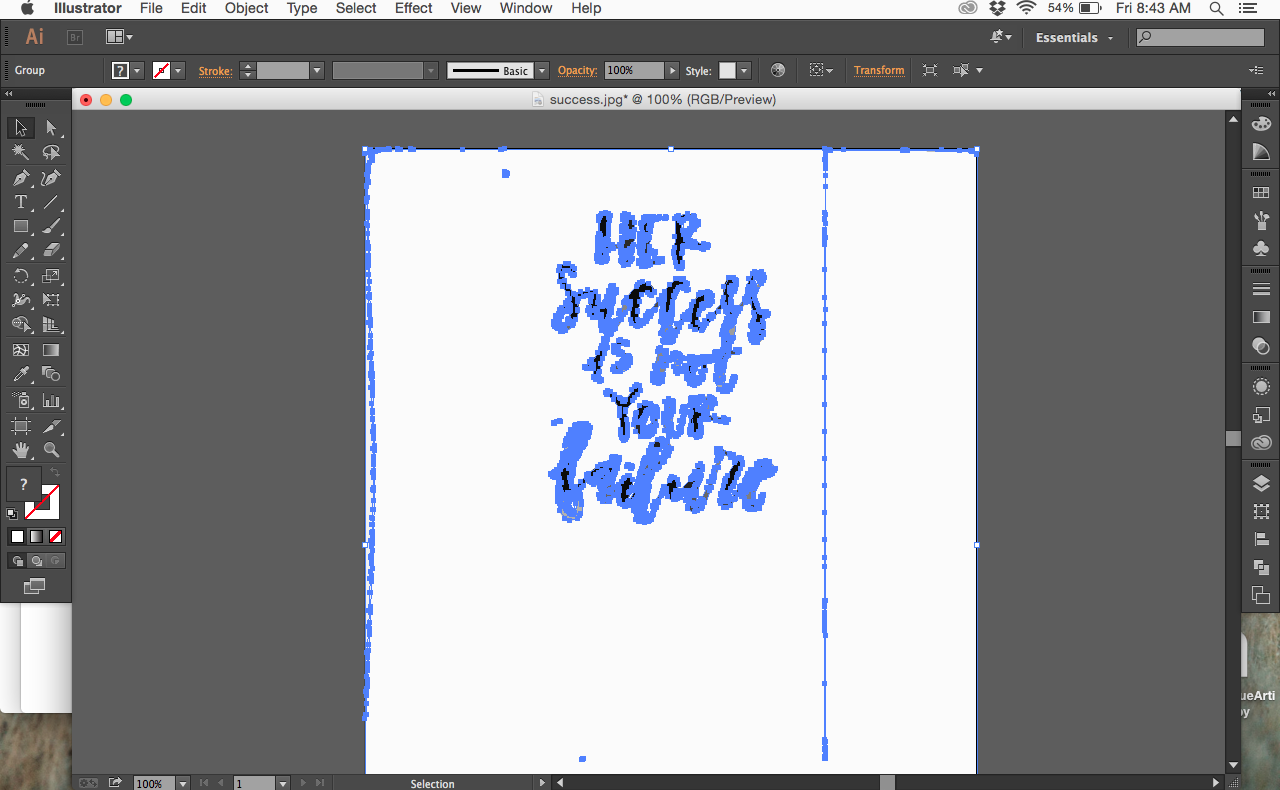
Converting raster images to vector format is a crucial step in the digitization process, especially for creating logos and prints that require scalability without loss of quality. Raster images, comprising pixels, can become pixelated when resized. In contrast, vector graphics are composed of mathematical equations, allowing for infinite scaling and crisp lines at any size, making them ideal for various applications.The process of converting raster images to vector format generally involves the use of vectorization techniques, which transform the pixel-based image into distinct paths, points, and curves that define the shapes within the image.
This conversion can be achieved through automatic software tools or manual tracing techniques, depending on the complexity of the original artwork.
Benefits of Using Vector Graphics
Vector graphics offer several advantages over raster images, especially in professional design settings. The key benefits include:
- Scalability: Vector files can be resized without losing quality, making them perfect for everything from business cards to large banners.
- Editability: Vector graphics can be easily manipulated, allowing for changes in color, shape, and size without degradation of the image.
- Smaller File Size: Vector files often have a smaller file size compared to high-resolution raster images, making them easier to store and share.
- Precision: Lines and shapes in vector graphics are mathematically defined, ensuring that every curve and angle is precise, which is essential for high-quality logos and prints.
- Versatility: Vector formats are compatible with various design software and printing technologies, providing flexibility in how the design can be used and displayed.
Software Tools for Vectorization
Several software tools are available for converting raster images to vector format. These tools vary in complexity and functionality, catering to different user needs. Here are some widely recognized options:
- Adobe Illustrator: A leading graphic design software that offers powerful tools for manual and automatic vectorization.
- CorelDRAW: A vector graphics editor that provides intuitive tools for creating and editing vector images.
- Inkscape: A free, open-source vector graphics editor that includes a robust tracing tool for converting raster images to vectors.
- Vector Magic: An online service that specializes in converting raster images to vector format with high accuracy.
- Autotracer: A free online tool for quick and easy vectorization of raster images.
Applying Calligraphy to Logos
The integration of calligraphy into logo design can elevate a brand’s identity, offering a unique, artistic flair that sets it apart from competitors. Calligraphy, with its intricate flourishes and personal touch, can convey messages of elegance, creativity, and authenticity. When applied thoughtfully, calligraphy not only enhances the visual appeal of a logo but also reinforces brand values and personality.In the realm of logo design, several fundamental principles apply when incorporating calligraphy.
Designers must consider the legibility, balance, and relevance of the calligraphic style to the brand’s identity and audience. The following points delineate these key principles and elements that contribute to successful calligraphy logos:
Principles of Logo Design Using Calligraphy
A well-designed logo must encapsulate the brand’s essence while remaining visually engaging. The following factors play a crucial role in achieving this balance:
- Legibility: It is essential that the calligraphic elements maintain readability at various sizes. Overly ornate designs may obscure the brand name, especially when scaled down for smaller applications.
- Relevance: The style of calligraphy chosen should resonate with the target audience and reflect the brand’s personality. For example, a formal cursive style may suit a luxury brand, while a more playful script may fit a creative agency.
- Balance: The overall composition must harmonize the calligraphic text with other design elements such as colors, icons, and shapes. This ensures that the logo is cohesive and visually appealing.
- Versatility: The logo should retain its effectiveness across various mediums, from digital applications to print materials, ensuring that the calligraphic design remains impactful regardless of context.
Examples of successful calligraphy logos often demonstrate these principles effectively. Notable brands like Coca-Cola and Disney employ calligraphy in their logos, showcasing how the artistic style contributes to brand recognition and memorability.
Successful Examples of Calligraphy Logos
Exploring exemplary calligraphy logos provides insights into their successful elements and design strategies. Below are a few notable examples:
- Coca-Cola: The iconic Spencerian script of the Coca-Cola logo is not only instantly recognizable but also evokes a sense of nostalgia and heritage, aligning perfectly with the brand’s longstanding history.
- Disney: The fluid, whimsical style of the Disney logo reflects the imaginative and fun nature of its brand, appealing to both children and adults alike.
- Chanel: The use of elegant, flowing calligraphy in the Chanel logo signifies luxury and sophistication, aligning with the brand’s high-end image.
Balancing Readability with Artistic Expression
Maintaining a balance between artistic expression and readability is paramount in calligraphic logo design. Designers should consider the following approaches to achieve this equilibrium:
- Contrast: Utilizing contrasting colors can enhance legibility, allowing the calligraphy to stand out against the background.
- Whitespace: Effective use of whitespace can separate the calligraphic elements from other design components, preventing visual clutter and enhancing readability.
- Testing: Conducting tests with the target audience can gauge the effectiveness of the logo’s readability, ensuring that it communicates the brand message clearly.
The careful application of calligraphy in logo design can result in a striking visual identity that resonates with audiences, showcasing a brand’s personality while remaining functional and effective.
Using Calligraphy in Prints

Calligraphy can serve as a stunning visual element in various print mediums, enhancing the aesthetic appeal of the final product. Its elegant strokes and artistic flair can elevate everything from invitations to fine art prints. To effectively utilize calligraphy in prints, one must consider the specific mediums, color selections, and paper types that best showcase the artistry of the handwritten script.Calligraphy can be applied to numerous print mediums, creating unique and appealing designs.
The following categories highlight effective uses of calligraphy in the print realm:
Print Mediums for Calligraphy
The selection of a print medium plays a crucial role in how calligraphy is perceived. Below are some of the most popular print mediums where calligraphy shines:
- Greeting Cards: Calligraphy adds personal touch and elegance to greeting cards for various occasions such as weddings, birthdays, and holidays.
- Art Prints: High-quality prints featuring calligraphy can serve as decorative pieces, often incorporating quotes or poems.
- Invitations: Calligraphy is a favored choice for wedding and event invitations, providing a sophisticated and formal appearance.
- Stationery: Personalized stationery featuring calligraphy can enhance correspondence and create a memorable impression.
- Certificates: Calligraphy can be used to embellish certificates of achievement, making them more visually appealing.
In addition to choosing the right medium, selecting appropriate colors and paper types is essential for achieving the desired effect of the calligraphy. The following considerations will help in making informed decisions:
Color and Paper Selection
The color palette and paper quality significantly influence the visual impact of calligraphy prints. Consider the following aspects when selecting colors and paper types:
- Color Palette: Choose colors that complement the style of the calligraphy. Traditional black or dark ink on white or cream paper is classic, while vibrant colors can add a modern twist.
- Contrast: Ensure there is sufficient contrast between the calligraphy and the background to maintain readability and visual appeal.
- Paper Type: Opt for textured or high-quality paper that enhances the tactile experience, such as cotton or linen finishes, which can elevate the overall presentation.
- Ink Type: Select inks that are suitable for the specific print process, ensuring they produce vibrant and durable prints.
To guarantee that calligraphy retains its beauty and integrity in printed form, careful attention to printing techniques is necessary. Here are some guidelines to ensure high-quality prints:
High-Quality Printing Practices
Maintaining the integrity of calligraphy during the printing process is paramount. Follow these practices for optimal results:
- Resolution: Ensure that the digitized calligraphy is at a high resolution (at least 300 DPI) for crisp and clear outputs.
- Proofing: Print test samples to evaluate color accuracy and quality before finalizing the print run.
- Printer Selection: Use professional-grade printers that are capable of handling the chosen paper type and ink for the best results.
- Finishing: Consider options such as embossing, foil stamping, or varnishing to add depth and texture to the calligraphy prints.
Marketing and Selling Digitized Calligraphy
To successfully market and sell your digitized calligraphy, it is essential to cultivate a robust online presence that showcases your unique style and expertise. This not only enhances your visibility in the competitive marketplace but also connects you with potential clients and collaborators who appreciate your craft. Below, we delve into effective strategies for presenting your calligraphy work online, as well as tips for engaging with clients and establishing a comprehensive online shop or portfolio.
Showcasing Calligraphy Work Online
Creating an appealing online portfolio is key to attracting clients and buyers. A well-organized portfolio allows potential customers to navigate through your work effortlessly, promoting a positive first impression. Here are important aspects to consider when showcasing your calligraphy:
- High-Quality Images: Utilize high-resolution images that represent your work accurately. Focus on capturing intricate details, colors, and textures, providing a clear view of each piece.
- Consistent Branding: Maintain a cohesive visual style across your portfolio. Use similar color palettes, fonts, and layouts to strengthen your brand identity.
- Detailed Descriptions: Accompany each piece with thoughtful descriptions that explain your inspiration, techniques used, and any customizations available for clients.
- Social Media Presence: Leverage platforms like Instagram, Pinterest, and Facebook to share your work regularly. Engage with your audience through posts, stories, and collaborations to build a community around your art.
- Engaging Content: Offer tutorials, behind-the-scenes videos, or blog posts discussing your process. This not only showcases your knowledge but also keeps your audience engaged.
Approaching Potential Clients or Collaborations
Engaging with potential clients and seeking collaborations can expand your reach and open new avenues for your calligraphy. Building strong relationships is crucial in the creative industry. Here are some strategies to consider:
- Networking: Attend workshops, art fairs, and other industry events where you can meet potential clients and fellow artists. Establishing a personal connection can lead to future opportunities.
- Targeted Outreach: Research businesses or individuals whose aesthetic aligns with your work and propose collaborations or custom projects. Tailor your pitch to highlight how your calligraphy can enhance their brand.
- Join Online Communities: Participate in forums and social media groups centered on calligraphy and design. Engage genuinely with members, share your work, and offer assistance to build trust and visibility.
- Follow-Up: After initial contact, don’t hesitate to follow up with potential clients. A polite reminder of your services can keep you at the forefront of their minds.
Establishing an Online Shop or Portfolio
Creating an online shop or portfolio requires careful planning and execution to ensure a user-friendly experience for potential clients. Here’s a roadmap to guide you in setting up your platform:
- Select a Platform: Choose an e-commerce platform like Etsy, Shopify, or a personal website that suits your needs. Ensure it supports high-quality image uploads and has a secure payment system.
- Organize Your Portfolio: Create categories for different types of work—such as prints, custom orders, and logos—to facilitate easy navigation for visitors.
- Optimize for : Use s related to calligraphy and your niche in product descriptions and titles to enhance visibility on search engines.
- Implement Marketing Strategies: Consider email marketing, social media ads, and collaborations with influencers to promote your shop. Regularly update your audience with new products or special offers.
- Encourage Reviews and Feedback: After each transaction, prompt buyers to leave feedback. Positive reviews can significantly influence future purchases and increase credibility.
Establishing a strong online presence and actively engaging with your audience are pivotal in the successful marketing and selling of digitized calligraphy.
Summary
In conclusion, mastering the art of digitizing your calligraphy can open new avenues for creativity and professional opportunities. By understanding the techniques of preparation, scanning, and editing, you can transform your handwritten works into stunning digital formats suitable for logos and prints. Embrace the process, and watch as your calligraphy transcends traditional boundaries, captivating audiences in the digital realm.